
The Fabrication add-on
The shapes plate and duct fabricators cut every day, developed to flat patterns with thickness allowance, seams and a marking table for setting out by hand, and exported to DXF for the cutting table.
Download the 30-day free trial See pricing
The shapes
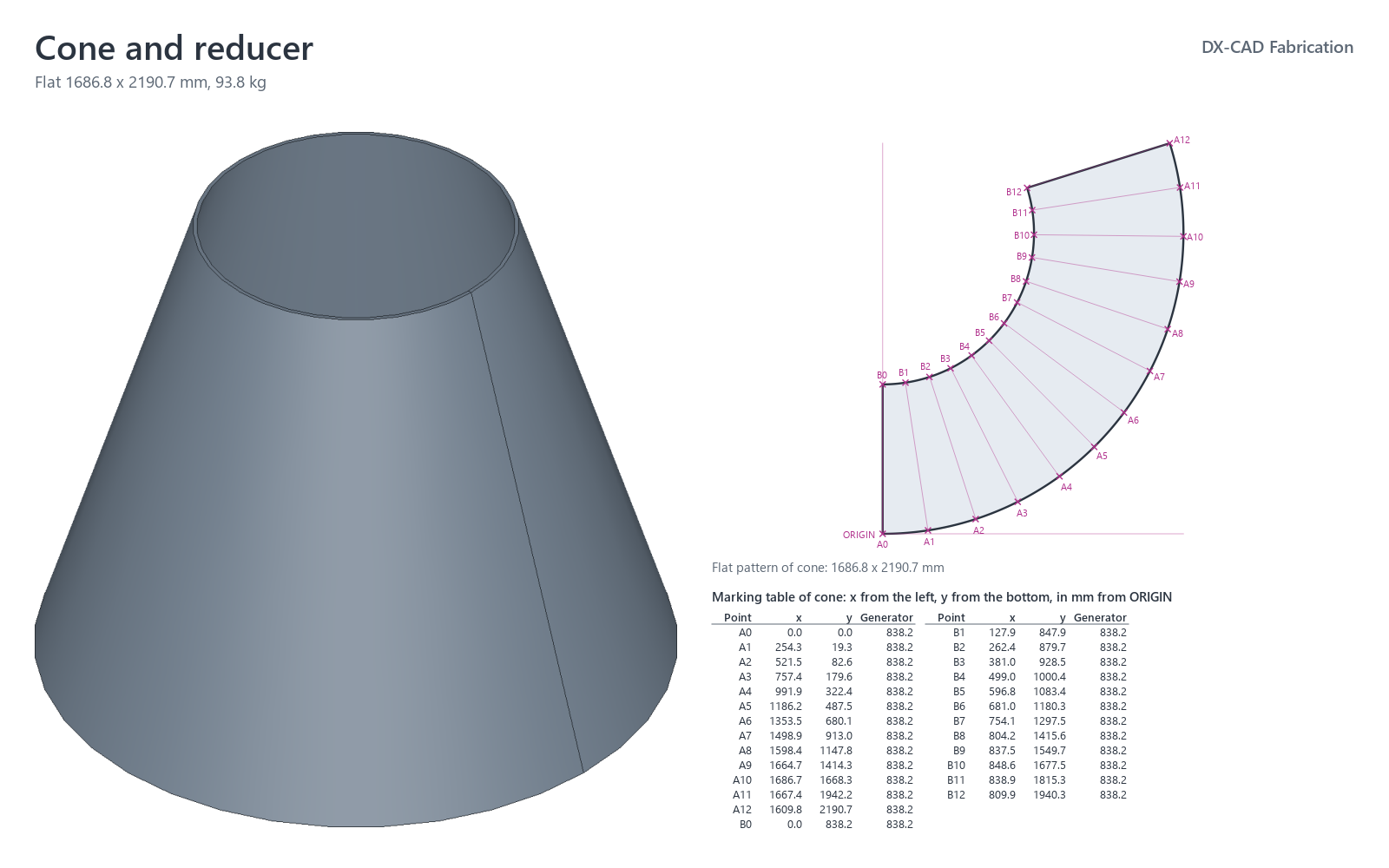
- Cones and reducers. Concentric and oblique cones and reducers, rolled cylinders and courses, and cone-on-cone and pipe-on-cone joints.
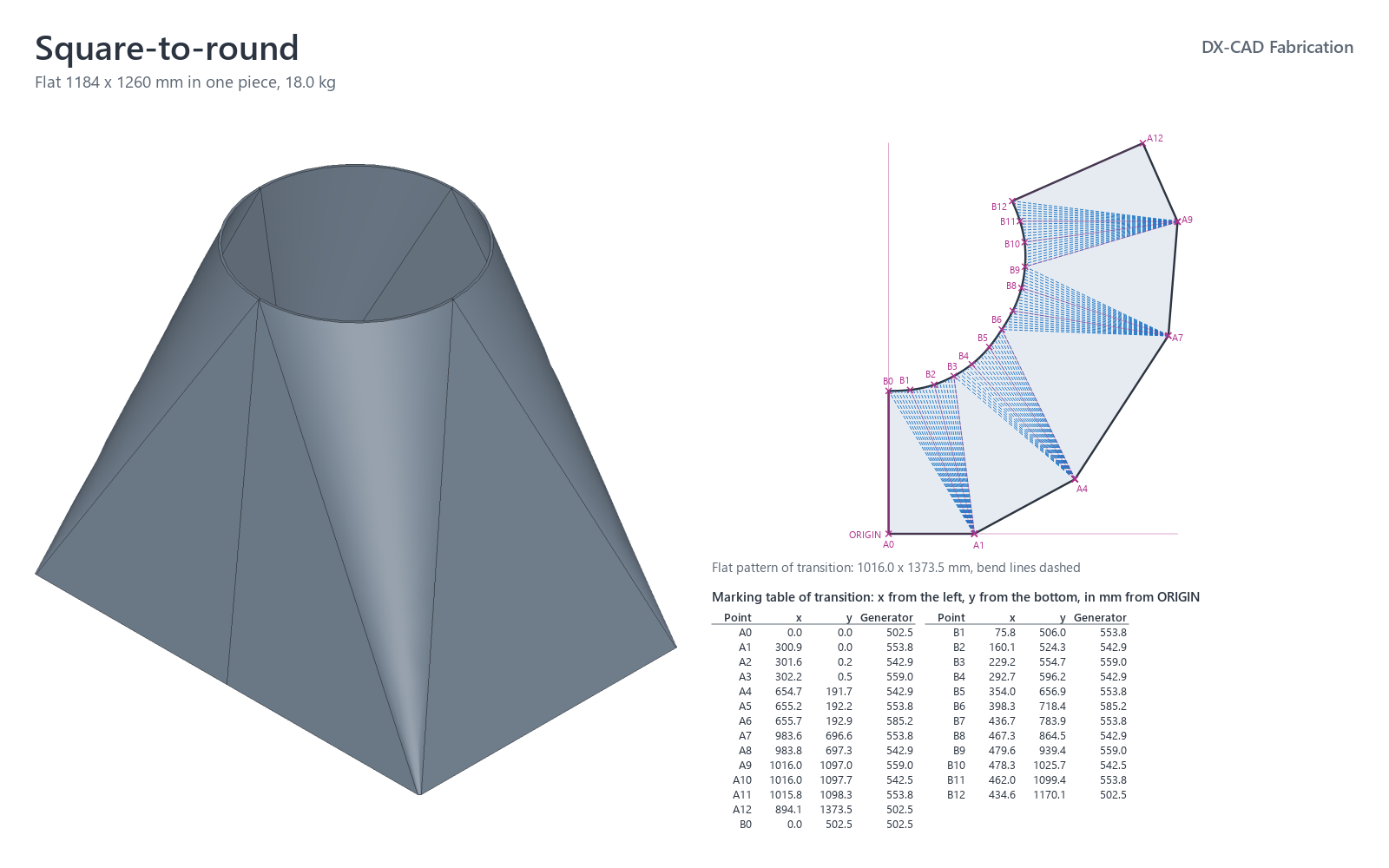
- Transitions. Square-to-round, rectangle-to-rectangle and round-to-round transitions, and hoppers, each with its seams and splits where you choose.
- Elbows and branches. Segmented (lobster-back) and reducing elbows, tees, laterals, Y-pieces and breeches, headers, and branches on pipes, cones, elbows and plates.
- Ducting and press-brake parts. Rectangular duct elbows, offsets and Y-branches; trays, boxes, brackets and corner posts for the press brake; dished heads; and weldments with cut lists.
Flat patterns you can trust
- Thickness allowance. Each development allows for the plate's thickness, with the sizes taken to the face you choose.
- Marking tables. Every flat comes with a marking table of points to set it out by hand, for the shop that still marks plate with a rule and a scriber.
- Verified by refolding. Every shape family is checked over a grid of sizes by folding its flat pattern back up and comparing it with the 3D surface, and against closed-form values where they exist.
- Out to the shop. Flats go out as DXF and SVG, onto drawings, and onto stock sheets with the nesting tool, each piece kept a gap from the next.
From sizes to the cutting table
- Pick the shape from the Fabrication menu and type its sizes in the dialog.
- Choose the plate thickness, where the seam goes and how many pieces.
- See the part in 3D and its flat pattern, with the marking table.
- Export the DXF, or nest the flats on your stock sheets, and put it on a drawing.
Its commands
These are the commands of Fabrication, as DX-CAD lists them in its menus and in command search:
Shape library - Fabrication: Ready-made sheet-metal shapes, sized from a few numbers.Cones - Fabrication: A sheet-metal cone or frustum, and its flat.Transitions - Fabrication: Square-to-round and other transitions, and their flats.Elbows - Fabrication: Segmented elbows for ducts and pipes, and their flats.Branches - Fabrication: Tees and branches where two ducts meet, and their flats.Weldments - Fabrication: Frames of structural members, cut and listed.Nesting - Fabrication: Lay the flats out on sheets of stock with as little waste as fits.Bend allowance tables - Fabrication: A shop's own bend allowances by material, thickness and tool.Calibration wizard - Fabrication: Work out a press brake's K-factors from test bends.
Trial and licence
Fabrication is a paid add-on.
What a listed command's panel says depends on where your licence stands: during your 30-day trial, the add-on is free, so the panel says "Free during your trial": download Fabrication and install it with Help > Add-ons > Install from File, with a Download button, and Help > Add-ons says the same. After the lock day, unless a licence names it, the panel gives its price and a Buy link.
The paid add-ons, Fabrication, Drafting Pro and Architecture, are free through the trial while no licence key is held, and lock with editing on the lock day; the line under the status names them and the day, as the notices do.
Also an add-on
Drafting Pro does production drawings. More on the Fabrication layout software page.